


Source: NSB Cyber
Intro
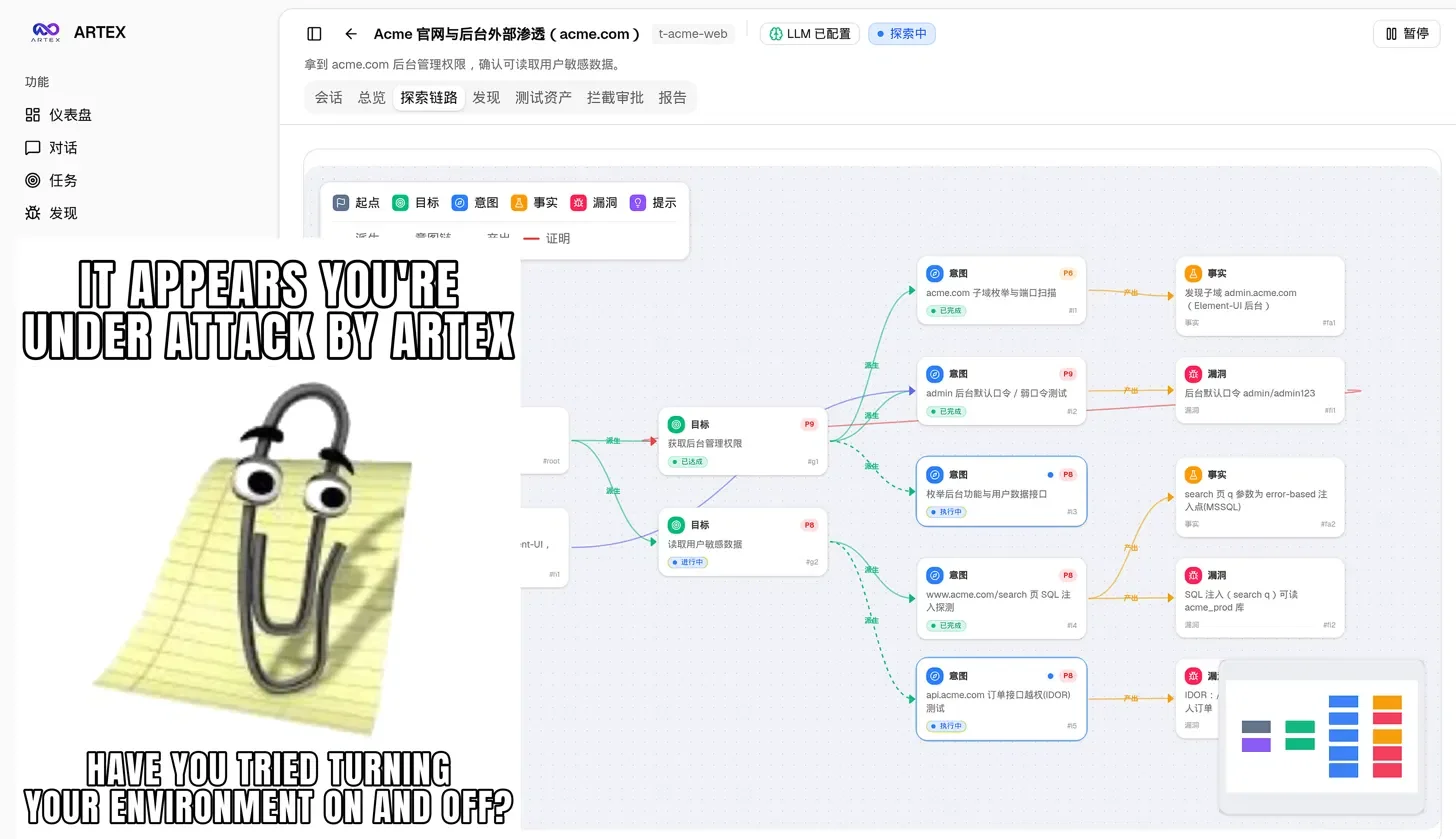
ARTEX (and other agentic AI offensive security tooling) is currently causing a lot of cybersecurity damage to organisations. We’re seeing this firsthand particularly across Azure cloud environments. Whilst ARTEX is just a tool and isn’t performing drastic 0 day exploitation, what makes it powerful is the speed at which it probes, exploits, laterally moves and exfiltrates. It turns a low skilled threat actor into someone who can cause real damage.
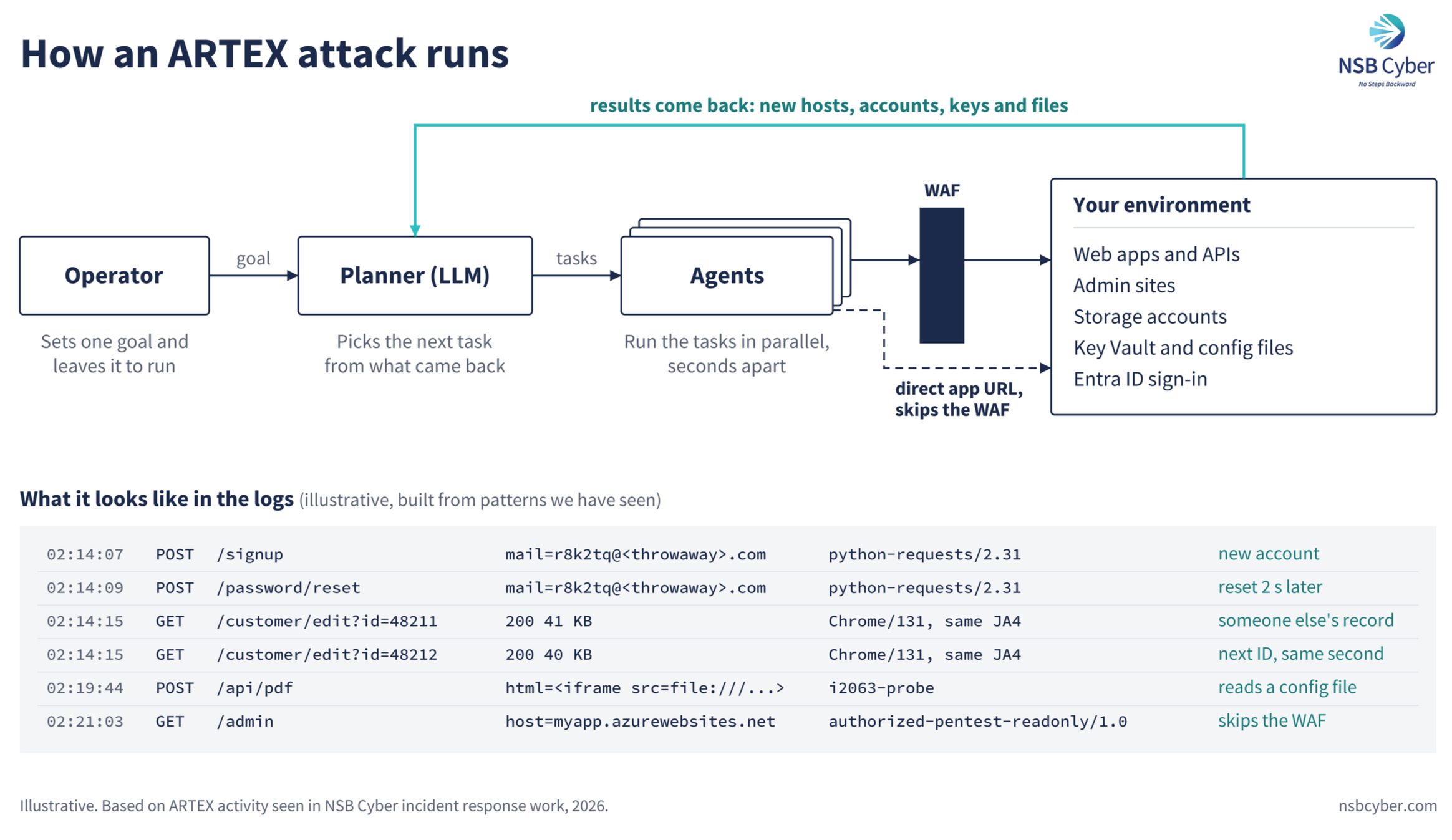
For those unfamiliar, ARTEX is an open-source tool that uses AI agents to plan and carry out security tests, but can also be used by attackers. It works towards a goal set by its operator, breaking it into tasks that AI agents carry out and adjusting its approach based on what they find.
In this article we’re providing some quick tips based on what we’ve seen which could assist defenders in slowing down ARTEX attacks. We’ve opted to focus on primarily prevention controls. While blocking IP addresses is valuable, solely relying on those is a game of whack-a-mole.
Quick breakdown: ARTEX against Azure-hosted environments
ARTEX can operate very differently depending on your environment and what it finds. As this article is focussing on Azure-hosted environments specifically, here is a quick breakdown of how we (NSB Cyber) have seen them operate:
1: Block Artex User Agent (and other non-human user agents if possible)
An outright cheap hygiene win, although it is extremely trivial to change. Block any user agents with ‘artex’ string (and ensuring a case-insensitive match), primarily at your perimeter/edge. Think Azure Front Door WAF or Application Gateway.
Even better, if you are able to block user agents not associated with normal user browser behaviour, that is even more recommended. Word of warning: Ensure to assess the potential impact of blocking some of these, in case they break any API integrations, internal scripts, and partner integrations.
Here are some example user agents we’ve seen on incidents:
curl
wget
libcurl
python-requests
python-httpx
Go-http-client
2: Review your Azure resources for direct bypasses
In our incident response engagements, we see a number of organisations quickly discovering their web application services being misconfigured to allow direct internet access hitting the app without going through the WAF front door. Common ones include *.azurewebsites.net, domains and IP address allowing public inbound access that doesn’t go through a WAF.
As such, be sure to audit and review your Azure environment resources and ensure there is no unintended direct access without going through the intended front door (e.g. WAF or Gateway).
3: Review your WAF for misconfigurations
Having a WAF in place is important. However, misconfiguring or poking holes in it like Swiss cheese makes it much less effective.
Make sure to understand your WAF of choice’s proper pattern of behaviour (or importantly, its anti patterns). As an example of an Azure WAF anti pattern, if you create a custom allow rule that allows an entire country, this would mean that entire country’s IP addresses would skip the core OWASP WAF rules it has in place. Instead, block specific geolocations you want to prevent accessing.
Be very selective about IP addresses you may allow. If there are business requirements for specific vendors to have direct access to your resources, ensure they provide you their static IP address list (ideally not a huge subnet!). Don’t create an explicit ‘allow’ rule through your Azure WAF if it means they bypass the core WAF rules in place; explore an alternate way for them to get access.
4: Enable bot detection on your WAF
Most popular WAFs (including Cloudflare and AWS) should have an equivalent bot detection service. In Azure WAF, this is called ‘Bot Manager’ which exists as a ruleset you can enable. Another one to consider is the Azure WAF Javascript Challenge which helps differentiate between human users and bots.
5: Slow down attackers
Consider this. ARTEX and other agentic AI tools are getting very good at self-registering accounts on your websites using throwaway emails, then using those accounts to probe further. Add friction to registration and other sensitive flows such as login and password reset through strategies such as:
CAPTCHA or Turnstile
Honeypot hidden form fields
Rate limiting per IP/account
Blocking disposable email domains
Requiring email verification before the account can do anything useful
Requiring phone verification for high-risk signups
Essentially, anything that requires further proof that the user is human can add friction and slow automated attacks down.
6: Reduce the proliferation of hardcoded credentials
ARTEX is extremely adept at picking up exposed credentials and moving laterally/exfiltrating data/establishing persistence with it, particularly when such credentials are exposed in code repositories or storage blobs that people don’t know or have forgotten about.
An easy win is for your organisation to run secrets scanning and identify any proliferation of hardcoded credentials throughout the environment. Don’t allow your teams to get lazy with credentials, strongly encourage the use of managed identities and key vaults for your resources, and practice regular key rotation (so it becomes muscle memory when an incident happens).
7: Know your environment baseline. This is the hardest BUT the most effective
You don’t know what you don’t know, and this hurts in an ARTEX-powered cyber incident. A single unrotated credential stolen or a forgotten legacy web service can suddenly mean a threat actor (using ARTEX) has the means to get in/get back into your environment. For some organisations, issues such as legacy knowledge risks and AI-assisted speed development sometimes results in an environment or system architecture that is hard to recover from a cyber attack.
Getting to know your environment baseline includes asking questions such as:
What should be talking to your backend services? Should it only be your front end, known IP addresses or Microsoft service tags? If so, lock it down with network restrictions or Private Endpoints and alert on anything else.
Who should be creating users, app registrations and role assignments? Usually a small group of people and pipelines. Restrict it in Entra ID and alert on anyone outside that group.
What does normal sign-in and API activity look like? Volumes, locations, times, user agents. A sudden spike in failed logins or new accounts is often the first sign.
Who actually knows how this environment works? If the answer is one person, that's a key person risk. Fast, AI-assisted development often ships apps and infrastructure faster than anyone documents or reviews them, and those undocumented corners are exactly what ARTEX finds first.
Bonus: Sprinkle canary tokens for early warning, and automate the response
Planting canaries in your Azure environment is fantastic, low-cost and high fidelity way to detect on a potential incident going on. The premise is having decoy credentials and resources that no legitimate person or process should ever legitimately touch, so any use of one is a high-confidence signal that someone is inside and poking around. They're cheap, they don’t give false positives too often (usually), and tools like ARTEX will happily pick up and try any credential they find.
Few things to be conscious of:
Make sure the canaries have zero real permissions. Double, triple check this. A "canary" with real access is just a leaked credential.
Make them believable. Don't name anything ‘canary’, ‘honeypot’, or ‘fake’. Use names that match your real naming conventions, perhaps with subtle references that only you (the defender) would know is fake.
Make each one unique to where you planted it. If the canary in your repo fires, you know the repo leaked, not the Key Vault.
Tell your security team and keep an inventory. Otherwise your SOC would have a heart attack, or someone accidentally cleans them up.
Exclude known identities that touch everything. For example, backup tooling that reads every Key Vault secret will set off a false positive.
When a Key Vault canary fires, the identity that read it is your compromised account.
Additional considerations:
Code repo secret scanning tools (e.g. Github) may flag, block or revoke PATs committed to repos. Plan for it.
Check that diagnostic logging is actually on for each resource you plant in. No logs, no alert!!
Where to plant them

What to plant, and what to alert on

Example SOAR playbook (e.g. Sentinel + Logic Apps)
When a canary fires:
1. Open a high-severity incident and page on-call.
2. Revoke sessions and disable the identity involved (the account that read the canary, or the account behind the login attempt).
3. Block the source IP for a short period (remember: whack-a-mole, so treat it as containment).
4. Enrich the incident with the canary's location from your inventory, so responders know what was exposed.
5. Start hunting: what else did that identity or IP touch in the last 24–72 hours?
--
This is not an entire complete list of all controls you should apply, but its a starting point for consideration. Keep updated to ARTEX related cyber news as more and more insights and defensive recommendations come out.
Want to stay on top of the latest breaches and incidents? Subscribe to our LinkedIn Newsletter, visit our Signals page every Friday and explore our latest Blogs.